
Codex notifications on your iPhone
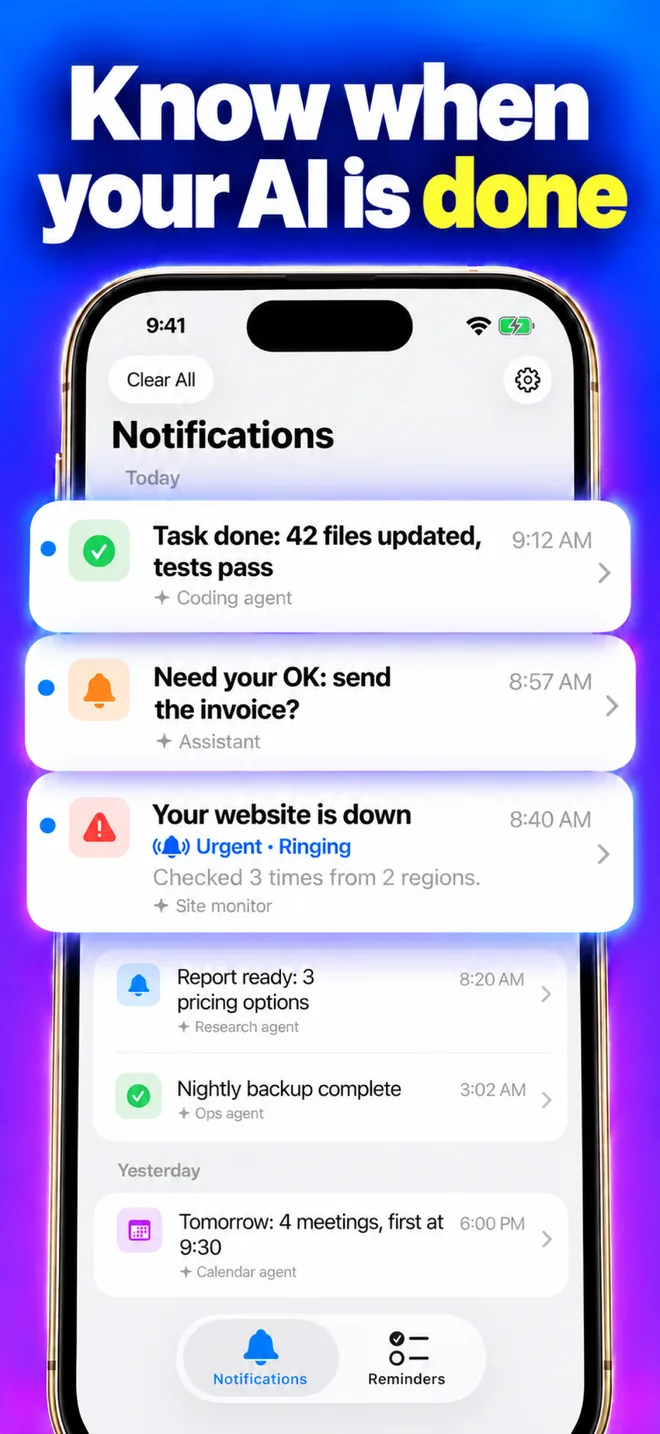
Start a long Codex task and walk away. AgentAlarm sends a notification to your iPhone when Codex is done or needs your permission, and rings like an alarm only when you ask for it.
Free · iPhone with iOS 26 or later · Updated November 2, 2026
How it works
- Codex runs hooks on
UserPromptSubmit(a task starts),Stop(it is done) andPermissionRequest(it waits for you). - The AgentAlarm hook sends “Codex: task finished in my-app” or “Codex needs your decision in my-app” as a quiet notification.
- It alerts only when you are away from the computer, says “task finished” only for tasks of at least 3 minutes, and sends at most one alert per session every 5 minutes. It never sends your prompt or code.
Set it up
- Install AgentAlarm on your iPhone and sign in with Apple.
- Install the CLI globally (Codex waits for its hooks, and a global install starts fastest), then sign it in with the text from Settings → Connected Agents → Connect in the app:
npm i -g agentalarm agentalarm login "<the text copied from the app>" - Add the hooks to
~/.codex/hooks.json:{ "hooks": { "UserPromptSubmit": [{ "hooks": [{ "type": "command", "command": "agentalarm hook codex", "timeout": 10 }] }], "Stop": [{ "hooks": [{ "type": "command", "command": "agentalarm hook codex", "timeout": 10 }] }], "PermissionRequest": [{ "hooks": [{ "type": "command", "command": "agentalarm hook codex", "timeout": 10 }] }] } } - Start Codex and type
/hooksto review and trust them once. - Test the phone side with
agentalarm test: it rings your iPhone once.
Prefer config.toml?
The same hooks inline in ~/.codex/config.toml (use either this or hooks.json, not both):
[[hooks.UserPromptSubmit]]
[[hooks.UserPromptSubmit.hooks]]
type = "command"
command = "agentalarm hook codex"
timeout = 10

[[hooks.Stop]]
[[hooks.Stop.hooks]]
type = "command"
command = "agentalarm hook codex"
timeout = 10

[[hooks.PermissionRequest]]
[[hooks.PermissionRequest.hooks]]
type = "command"
command = "agentalarm hook codex"
timeout = 10
Codex also has a notify setting that runs a program after a turn. AgentAlarm uses hooks instead, because they also cover permission requests and tell how long a task ran.
Let Codex ring you
Add the MCP server to ~/.codex/config.toml and sign in:
[mcp_servers.agentalarm]
url = "https://alarm.achub.net/mcp"
codex mcp login agentalarmApprove the sign-in on your iPhone. Then ask: “Ring me when the build is green” or “Remind me at 5 pm to ship this”.
Tune or pause it
agentalarm setup
agentalarm config set minTaskMinutes 10
agentalarm pause 1h
Why a hook did or did not alert: ~/.local/state/agentalarm/hook.log.
Questions
Does it change how Codex asks for approval?
No. The hook prints nothing, so Codex’s own approval flow stays the same.
Is there an Android version?
Not yet. AgentAlarm is for iPhone with iOS 26 or later.
Is AgentAlarm made by OpenAI?
No. AgentAlarm is made by an independent developer and is not affiliated with OpenAI.